 By
Artificial intelligence is changing how people work, study, create content, and manage everyday tasks. Many tools that once required expensive subscriptions now offer free versions. This makes AI more accessible to students, freelancers, business owners, and beginners.
However, finding the right platform can still be difficult. Some tools focus on writing, while others help with research, graphic design, coding, presentations, or video editing. Each platform also has different features and usage restrictions.
The good news is that you do not need an expensive subscription to start using artificial intelligence. Several platforms provide useful free features that can help you save time and improve your workflow.
In this guide, we explore the best free AI tools worth trying in 2026. You will learn what each platform does, who should use it, and what limitations you should understand before getting started.
What Are the Best Free AI Tools?
The best free AI tools are platforms that provide useful artificial intelligence features without requiring an immediate paid subscription. They help users complete tasks such as writing articles, researching information, creating images, checking grammar, building presentations, and generating code.
Some platforms provide completely free software, while others offer free plans with limited features. These free plans usually include restrictions on messages, credits, file uploads, or advanced features.
For most beginners, starting with a free plan is a sensible decision. You can explore different tools, understand their capabilities, and decide whether a paid subscription is necessary.
The most useful free AI tools are not always the platforms with the largest feature lists. A simple tool that solves your specific problem can provide more value than an advanced platform you rarely use.
Quick Comparison of the Best Free AI Tools
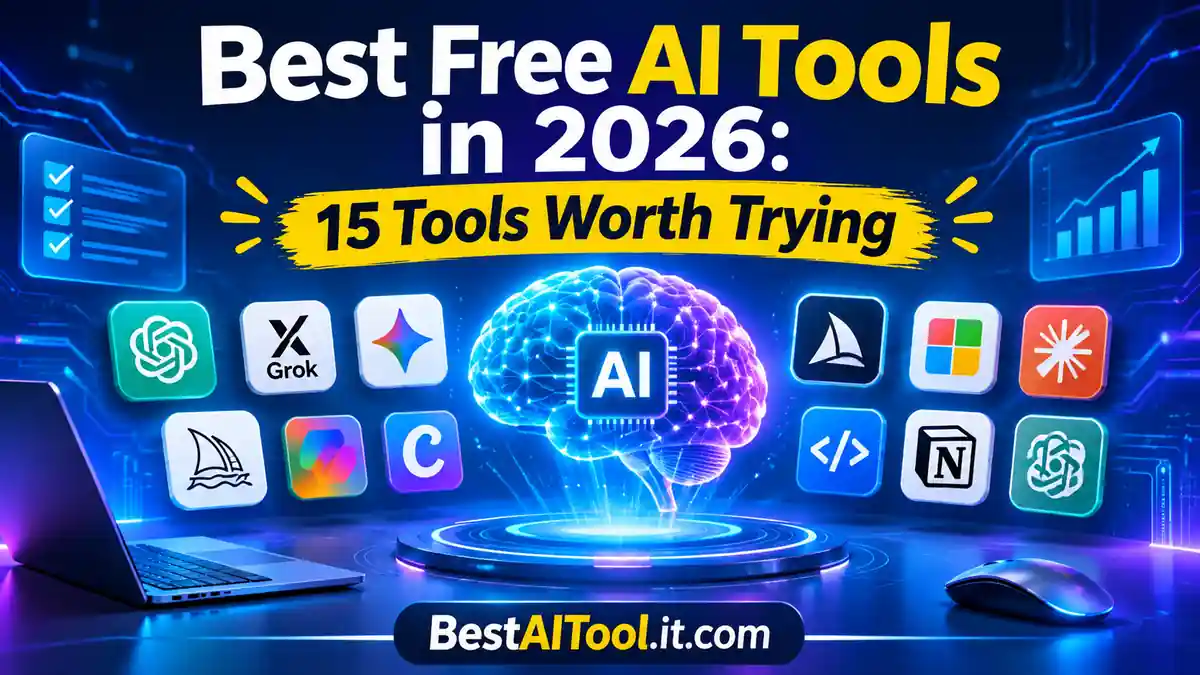
The following table highlights 15 useful AI platforms and their main purposes. Free access and feature availability can change, so check each provider’s website before depending on a specific feature.
| AI Tool | Best For | Free Access |
|---|---|---|
| ChatGPT | General assistance and writing | Free plan |
| Google Gemini | Everyday AI tasks | Free plan |
| Claude | Writing and document analysis | Free plan |
| Perplexity | Online research | Free plan |
| Gemini Notebook | Researching personal documents | Free access |
| Microsoft Copilot | Everyday productivity | Free access |
| Canva AI | Graphic design | Free plan |
| Grammarly | Grammar and editing | Free plan |
| DeepSeek | AI chat and reasoning | Free access |
| Gamma | Presentations | Limited free access |
| GitHub Copilot | Coding assistance | Free plan |
| DeepL | Translation | Free access |
| CapCut | Video editing | Free features |
| ElevenLabs | AI voice generation | Limited free access |
| n8n | Workflow automation | Free self-hosted option |
1. ChatGPT – Best Free AI Assistant
ChatGPT is one of the most versatile AI assistants available. It helps users write content, understand complicated topics, generate ideas, analyze information, and solve everyday problems.
Its free version provides a useful starting point for people who want to explore artificial intelligence. You can ask questions, request explanations, prepare outlines, draft emails, and work through different tasks using natural language.
For students, ChatGPT can explain difficult subjects in simpler words. Freelancers can use it to organize projects, prepare proposals, and brainstorm new ideas. Content creators can develop outlines and explore article topics.
ChatGPT also supports additional capabilities, although access to advanced models and certain features may have usage limits.
Best uses:
- Writing and editing content
- Generating ideas and outlines
- Learning new subjects
- Explaining complicated information
- Brainstorming business strategies
Main limitation: Advanced features and usage allowances are limited on the free plan.
Website: https://chatgpt.com/
2. Google Gemini – Best Free AI Tool for Everyday Tasks
Google Gemini is an AI assistant designed to help users understand information, generate content, and complete everyday tasks. It can answer questions, summarize information, brainstorm ideas, and assist with different types of creative work.
One advantage is its connection with Google’s wider ecosystem. People who regularly use Google services may find Gemini particularly convenient.
Students can use it to understand lessons and organize study schedules. Business owners can brainstorm marketing ideas, while content creators can develop outlines and explore new topics.
Gemini also offers capabilities such as image-related features and research assistance, depending on the account, region, and current usage limits.
Best uses:
- General questions and explanations
- Brainstorming content ideas
- Learning and studying
- Research assistance
- Creative tasks
Main limitation: Access to advanced models and features depends on Google’s current free-plan limits.
Website: https://gemini.google.com/
3. Claude – Best Free AI Tool for Writing
Claude is an AI assistant developed by Anthropic. It is particularly useful for people who work with long documents, detailed instructions, and structured writing tasks.
You can use Claude to prepare article outlines, rewrite paragraphs, summarize documents, and improve the clarity of written content. It can also help organize information into headings, lists, and tables.
Writers and researchers may appreciate its ability to work with detailed context. For example, you can provide a document and ask for a summary, explanation, or list of important points.
Claude offers a free plan, but its usage is limited. The amount of access available can depend on message length, model selection, and demand.
Best uses:
- Long-form writing assistance
- Document summaries
- Editing and rewriting
- Brainstorming ideas
- Organizing complex information
Main limitation: Free usage limits can interrupt longer working sessions.
Website: https://claude.ai/
4. Perplexity – Best Free AI Research Tool
Perplexity is an AI-powered search and research platform. It helps users find information from online sources and presents answers with supporting references.
Traditional search engines usually provide a list of websites. Perplexity takes a different approach by generating a summarized response based on information it finds.
This can save time when researching unfamiliar subjects. Students can explore academic topics, writers can discover background information, and professionals can investigate industry developments.
However, users should still open the original sources. AI-generated summaries can misunderstand information or overlook important details.
Best uses:
- Finding information online
- Exploring unfamiliar topics
- Discovering source websites
- Preparing research notes
- Comparing information
Main limitation: Advanced searches and certain research features have limited availability on the free plan.
Website: https://www.perplexity.ai/
5. Gemini Notebook – Best for Researching Your Own Documents
Gemini Notebook, previously known as NotebookLM, is useful for people who want to understand information from their own sources.
You can provide supported documents and other sources, then ask questions about their contents. The platform helps organize information and generate summaries based on the material you provide.
This is particularly helpful for students working with study materials. Researchers can organize reference documents, while professionals can review reports and meeting notes.
Unlike a general AI chatbot, a source-based notebook focuses on the material included in your notebook. This makes it useful when you want answers connected to specific documents.
Google announced the Gemini Notebook name in July 2026. Check Google’s current product information for the latest features and availability.
Best uses:
- Summarizing PDF documents
- Understanding study materials
- Organizing research sources
- Reviewing reports
- Creating study notes
Main limitation: Source and usage allowances apply, and available features may differ by plan.
Website: https://notebooklm.google/
6. Microsoft Copilot – Best Free AI Tool for Productivity
Microsoft Copilot is an AI assistant that helps users find information, generate content, and complete everyday digital tasks.
It can help prepare emails, summarize information, explain concepts, and brainstorm ideas. People who already use Microsoft products may find it a convenient addition to their workflow.
For example, a freelancer can ask Copilot to draft a professional client response. A student can request a simple explanation of a difficult topic. A business owner can brainstorm social media content.
Its free availability makes it worth exploring before purchasing additional software.
Best uses:
- Drafting emails
- Generating ideas
- Summarizing information
- Answering general questions
- Everyday productivity
Main limitation: Some advanced features and integrations require eligible Microsoft subscriptions.
Website: https://copilot.microsoft.com/
7. Canva AI – Best Free AI Tool for Graphic Design
Canva is a popular design platform that helps people create social media graphics, presentations, posters, banners, and other visual content.
Its AI-powered features make the design process easier. Users can explore design suggestions, generate written content, and use supported AI features to create visual materials.
You do not need professional graphic design experience to get started. Canva provides templates that beginners can customize for different purposes.
Small businesses can create promotional graphics, while content creators can prepare thumbnails and social media posts.
Best uses:
- Social media graphics
- Presentation designs
- Posters and banners
- Marketing materials
- Basic AI-assisted design
Main limitation: Some premium templates, assets, and AI features require a paid subscription.
Website: https://www.canva.com/
8. Grammarly – Best Free AI Tool for Grammar Checking
Grammarly helps users improve written communication. It checks grammar, spelling, punctuation, and writing clarity.
This tool is useful for people who regularly write emails, reports, articles, or academic assignments. It can identify common writing mistakes and suggest improvements.
English learners can use Grammarly to understand their mistakes and improve sentence structure. Bloggers can review drafts before publishing, while professionals can polish important messages.
Its free version covers useful everyday editing needs. More advanced writing assistance and additional features may require a subscription.
Best uses:
- Grammar checking
- Spelling corrections
- Improving sentence clarity
- Editing emails
- Reviewing article drafts
Main limitation: Advanced suggestions and premium writing features are restricted.
Website: https://www.grammarly.com/
9. DeepSeek – Best Free AI Tool for Reasoning
DeepSeek is an AI platform that provides conversational assistance and reasoning capabilities. Users can ask questions, explore technical topics, and request help with different problem-solving tasks.
It can be useful for people who want another AI assistant alongside ChatGPT, Claude, or Gemini.
Students can use it to understand difficult concepts. Developers can explore programming questions, while professionals can brainstorm solutions.
As with every AI assistant, generated answers should be reviewed before being used in important decisions.
Best uses:
- General AI conversations
- Problem-solving
- Learning technical subjects
- Programming assistance
- Exploring ideas
Main limitation: Availability, model access, and service conditions can change. Review its privacy policy before sharing sensitive information.
Website: https://www.deepseek.com/
10. Gamma – Best Free AI Tool for Presentations
Gamma helps users create presentations and other visual documents with AI assistance.
Instead of designing every slide manually, you can provide a topic or written outline. Gamma can help organize the information into a presentation-style format.
This is useful for students preparing class presentations, freelancers creating project proposals, and businesses developing visual explanations.
You can then review the generated content, adjust the layout, and customize the presentation.
Best uses:
- Presentation creation
- Project proposals
- Educational slides
- Business presentations
- Visual content organization
Main limitation: Free access uses limited credits or other plan restrictions.
Website: https://gamma.app/
11. GitHub Copilot – Best Free AI Tool for Coding
GitHub Copilot is an AI coding assistant designed to help developers write and understand code.
It can suggest code completions, explain programming concepts, and assist with common development tasks. This can make coding more convenient, especially when working with unfamiliar functions or programming languages.
Beginners can use it to understand examples, while experienced developers can explore suggestions during development.
GitHub offers a free plan with usage allowances. The exact limits and available features should be checked on its official website.
Best uses:
- Code suggestions
- Understanding programming examples
- Debugging assistance
- Learning coding concepts
- Improving development workflows
Main limitation: Free usage has monthly allowances, and advanced features may require a paid plan.
Website: https://github.com/features/copilot
12. DeepL – Best Free AI Translation Tool
DeepL is a translation platform that helps users translate text between supported languages.
It can be useful for students, international businesses, bloggers, and people communicating with clients from different countries.
You can use it to understand foreign-language content or prepare an initial translation. However, important documents should receive a human review because context and cultural meaning can affect translation accuracy.
DeepL also provides writing-related features in supported languages and regions.
Best uses:
- Translating text
- Understanding foreign-language content
- Preparing multilingual drafts
- Supporting international communication
- Reviewing translated material
Main limitation: Free translation and document features have restrictions.
Website: https://www.deepl.com/
13. CapCut – Best Free AI Tool for Video Editing
CapCut is a video editing platform designed for creators who want to produce engaging videos without complicated editing software.
It provides editing tools and selected AI-assisted features that can help with captions, visual effects, and content preparation.
Social media creators can use it to prepare short videos for platforms such as TikTok, Instagram, and YouTube Shorts.
Beginners can start with templates and basic editing features before exploring more advanced options.
Best uses:
- Short-form video editing
- Social media content
- Automatic captions
- Video templates
- Basic AI-assisted editing
Main limitation: Some effects, tools, and export options may require a Pro subscription.
Website: https://www.capcut.com/
14. ElevenLabs – Best Free AI Tool for Voice Generation
ElevenLabs is an AI audio platform known for its voice generation capabilities.
It can convert written text into natural-sounding speech. This makes it useful for video creators, educators, and people preparing audio content.
For example, a creator can prepare a script and generate narration instead of recording every line manually.
It also offers additional audio-related capabilities, depending on the current plan and availability.
Best uses:
- Text-to-speech generation
- Video narration
- Audio content
- Voiceovers
- Educational recordings
Main limitation: Free access includes limited usage, and commercial rights depend on the applicable plan and terms.
Website: https://elevenlabs.io/
15. n8n – Best Free AI Tool for Automation
n8n is a workflow automation platform that connects different applications and services.
It helps users automate repetitive tasks through workflows. Instead of manually moving information between platforms, you can create a process that performs connected actions.
For example, a business might build a workflow that receives form submissions, organizes customer information, and sends notifications.
n8n is especially useful for technical users who want more control over automation. Its self-hosted community edition provides a way to run the platform without paying for a hosted subscription, although hosting and infrastructure can still cost money.
Best uses:
- Workflow automation
- Connecting applications
- Repetitive business tasks
- Data organization
- Building AI-powered workflows
Main limitation: Self-hosting requires technical knowledge and suitable infrastructure.
Website: https://n8n.io/
Best Free AI Tools by Category
Choosing a tool becomes easier when you focus on the task you want to complete. Different platforms are designed for different purposes, so one AI assistant will not always be the best option.
Here is a simple category-based guide.
| Category | Recommended Tool | Main Purpose |
|---|---|---|
| General AI assistant | ChatGPT | Everyday questions and tasks |
| AI writing | Claude | Writing and editing |
| AI research | Perplexity | Online information discovery |
| Document research | Gemini Notebook | Understanding personal sources |
| AI design | Canva | Graphics and presentations |
| Grammar checking | Grammarly | Improving written English |
| AI translation | DeepL | Language translation |
| AI coding | GitHub Copilot | Programming assistance |
| AI presentations | Gamma | Creating slide decks |
| AI video editing | CapCut | Editing short videos |
| AI voice generation | ElevenLabs | Creating voiceovers |
| AI automation | n8n | Connecting workflows |
Best Free AI Tools for Students
Students can use AI tools to understand difficult subjects, organize notes, prepare presentations, and improve their writing.
However, AI should support learning rather than replace it. Students should understand the material and follow their school’s academic integrity rules.
Here are some useful options:
- ChatGPT: Explaining complicated subjects and generating practice questions.
- Gemini: Brainstorming ideas and understanding general topics.
- Claude: Summarizing long reading materials.
- Perplexity: Discovering online sources for research.
- Gemini Notebook: Studying uploaded documents and notes.
- Grammarly: Checking grammar and improving written assignments.
- Canva: Preparing presentations and educational graphics.
The best approach is to combine a general AI assistant with a research tool. This gives students more flexibility without requiring several paid subscriptions.
Best Free AI Tools for Business and Freelancers
Small businesses and freelancers often need tools that save time and reduce repetitive work.
AI can support content planning, customer communication, research, presentations, and workflow automation. The right combination depends on the type of business and its daily activities.
Consider these options:
- ChatGPT: Brainstorming business ideas and drafting client messages.
- Claude: Preparing and editing professional documents.
- Canva: Creating promotional graphics and social media designs.
- Perplexity: Researching competitors and industry information.
- Grammarly: Improving professional communication.
- n8n: Automating repetitive business workflows.
- Gamma: Preparing proposals and presentations.
Freelancers should start with the tools that directly support their services. A writer may need an AI writing assistant, while a designer may benefit more from Canva.
Are Free AI Tools Really Free?
Yes, many AI platforms provide free plans that users can access without purchasing a subscription. However, free access does not always mean unlimited access.
Most platforms use restrictions to manage computing resources and encourage users to upgrade when they need additional capabilities.
Common restrictions include:
- Message limits: Some chatbots restrict how many requests you can send.
- Credit limits: Image and video generators may provide a limited number of credits.
- Feature restrictions: Certain advanced features may only be available on paid plans.
- File limitations: Some platforms restrict document uploads or file sizes.
- Commercial-use conditions: Certain free plans have specific rules about using generated content commercially.
Before using an AI tool for professional work, review its current pricing page and terms of service. This is especially important when handling confidential information or creating content for clients.
How to Choose the Right Free AI Tool
You do not need to register for every AI platform. Choosing a few tools that match your requirements can make your workflow simpler.
Start by identifying the task you want to complete. If you need writing assistance, explore ChatGPT or Claude. If you want online research, try Perplexity. For graphic design, Canva is a practical starting point.
Next, test the free version with real tasks. A tool might look impressive in advertisements but perform differently when handling your actual work.
You should also consider ease of use, privacy, output quality, and usage restrictions. These factors matter more than the number of features listed on a pricing page.
Finally, avoid paying for several subscriptions that perform similar tasks. Start with free versions and upgrade only when a specific limitation affects your work.
Tips for Getting Better Results from Free AI Tools
Using an AI platform effectively requires more than entering a short question. Clear instructions can improve the quality and usefulness of generated responses.
Try these practical tips:
- Explain your goal: Tell the tool exactly what you want to achieve.
- Provide context: Include relevant information about your project or audience.
- Specify the format: Request a table, list, summary, or detailed explanation.
- Review the output: Check facts, spelling, and important details.
- Compare results: Try another tool when the first response is incomplete.
- Protect personal information: Avoid uploading sensitive information unnecessarily.
- Check usage limits: Understand free-plan restrictions before starting large projects.
For example, instead of writing “Write an article,” provide a detailed instruction explaining the topic, target audience, tone, structure, and length.
This gives the AI assistant a clearer understanding of your expectations.
Frequently Asked Questions
1. What are the best free AI tools in 2026?
Some useful options include ChatGPT, Google Gemini, Claude, Perplexity, Canva, Grammarly, DeepSeek, and Gemini Notebook. Each platform serves a different purpose, so the best choice depends on your requirements.
2. Which AI tool is completely free?
Some tools provide free software or free access, while others use limited free plans. Open-source platforms such as n8n’s self-hosted community edition can be used without a software subscription, although infrastructure may cost money.
3. What is the best free AI tool for writing?
ChatGPT and Claude are useful choices for writing, brainstorming, editing, and organizing information. Grammarly can also help improve grammar and writing clarity.
4. What is the best free AI tool for research?
Perplexity is useful for finding information online with supporting sources. Gemini Notebook is helpful when researching your own uploaded documents and reference materials.
5. Are free AI tools safe to use?
Many established platforms provide privacy and security information, but users should still review their policies. Avoid uploading passwords, financial details, confidential business information, or sensitive personal documents without understanding how the platform handles data.
6. Can beginners use AI tools without technical knowledge?
Yes. Most general AI assistants and design platforms are built for everyday users. You can start by asking simple questions and gradually learn how to write more detailed instructions.
7. Do free AI tools have usage limits?
Yes. Many free plans restrict messages, image generations, file uploads, advanced models, or monthly credits. These limits vary between providers and can change over time.
8. Can I use free AI tools for business?
Many platforms allow some forms of business use, but commercial rights depend on each provider’s terms and subscription plan. Always review the applicable license before using generated material for client projects or commercial campaigns.
Final Thoughts
The best free AI tools can help you work faster, learn new skills, create better content, and organize everyday tasks. You do not need to purchase multiple subscriptions before understanding how artificial intelligence can support your work.
Start with one general assistant, such as ChatGPT, Gemini, or Claude. Add specialist tools when you need research, graphic design, translation, coding, or automation.
Remember that every platform has different strengths and limitations. Review important information, protect your data, and check the latest free-plan conditions before depending on a tool.
With the right combination, you can build a useful AI toolkit without spending money immediately. The smartest approach is to choose tools based on your actual needs rather than simply following popularity.


1 comment