 By
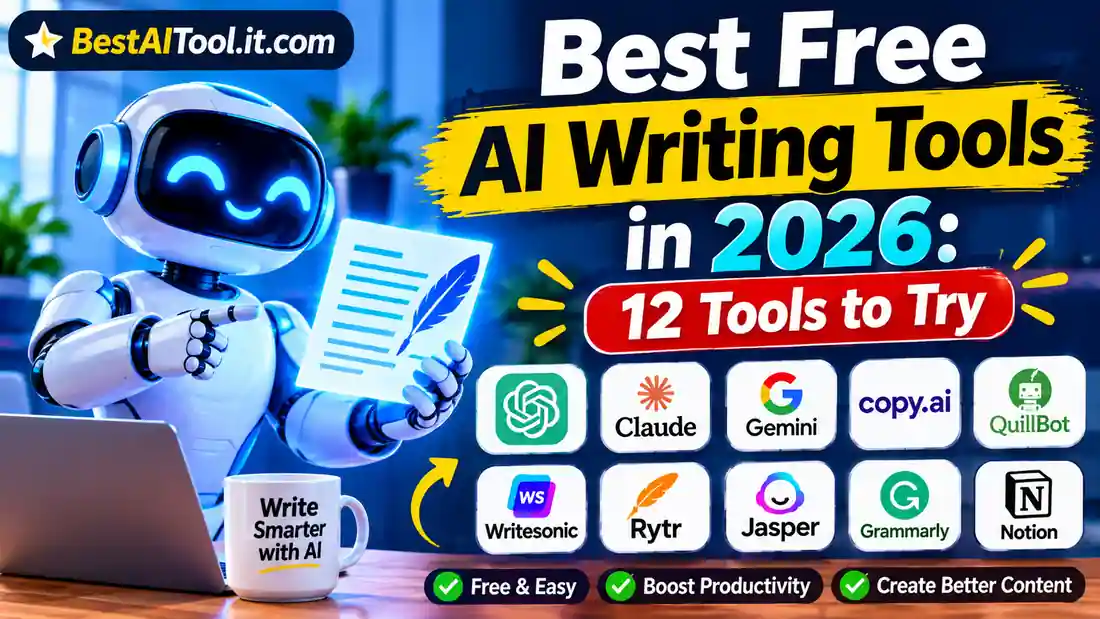
Writing good content takes time. Whether you create blog posts, business emails, website content, or social media captions, producing clear writing can be challenging.
Artificial intelligence has made this process easier. Modern AI writing tools can help generate ideas, prepare drafts, improve grammar, rewrite sentences, and organize information.
The best part is that you do not always need an expensive subscription. Many platforms provide free plans that allow beginners, students, freelancers, and content creators to explore useful writing features.
However, not every AI writing tool serves the same purpose. Some platforms help create complete drafts, while others focus on grammar, paraphrasing, readability, or marketing copy.
In this guide, we explore the best free AI writing tools in 2026. We compare their main features, explain their limitations, and help you choose the right platform for your writing needs.
What Are Free AI Writing Tools?
Free AI writing tools are software platforms that use artificial intelligence to help people create or improve written content. They can generate text from instructions, rewrite existing paragraphs, check grammar, summarize documents, and suggest better ways to communicate ideas.
These tools use language models and other AI technologies to understand instructions and produce relevant responses. Some work like conversational assistants, while others provide specialized writing features.
For example, a blogger can use an AI assistant to prepare an article outline. A student can improve sentence clarity, while a business owner can draft professional emails.
Most platforms offer free plans with certain restrictions. These may include message limits, word limits, monthly credits, or restricted advanced features.
You should understand these limitations before choosing a platform for regular writing work.
Quick Comparison of the Best Free AI Writing Tools
Here is a quick comparison of 12 useful platforms. The free-access column describes the general availability of free features, not unlimited usage.
| AI Writing Tool | Best For | Free Access |
|---|---|---|
| ChatGPT | General writing and drafting | Free plan |
| Claude | Natural-sounding writing | Free plan |
| Google Gemini | Writing and brainstorming | Free plan |
| Grammarly | Grammar and spelling | Free plan |
| QuillBot | Paraphrasing and rewriting | Free tools |
| DeepL Write | Improving sentence clarity | Free version |
| Rytr | Short marketing content | Free plan |
| Microsoft Copilot | Everyday writing assistance | Free access |
| Wordtune | Sentence rewriting | Limited free access |
| LanguageTool | Grammar and proofreading | Free version |
| Hemingway Editor | Readability improvement | Free online editor |
| Canva Magic Write | Marketing and creative writing | Limited free access |
1. ChatGPT – Best Free AI Writing Tool Overall
ChatGPT is a versatile AI assistant that helps users create, rewrite, summarize, and improve written content.
You can use it for almost every general writing task. For example, bloggers can request article outlines, freelancers can prepare client emails, and students can ask for explanations of difficult topics.
One useful feature is its ability to follow detailed writing instructions. You can specify your target audience, preferred tone, article structure, and content length.
ChatGPT can also help transform rough notes into organized paragraphs. You can provide an existing draft and request improvements without changing its main meaning.
Its free plan includes everyday text conversations, although certain models and additional features have separate usage limits. Check the current limits before planning large projects.
Main features:
- Blog post and article drafting
- Email and business writing
- Content rewriting and editing
- Brainstorming and outlines
- Summaries and explanations
- Writing ideas for social media
Best for: Bloggers, students, freelancers, marketers, and beginners.
Limitation: Advanced features and some tools have usage restrictions on the free plan.
Website: https://chatgpt.com/
2. Claude – Best for Natural-Sounding Writing
Claude is an AI assistant developed by Anthropic. It is useful for people who want help producing clear, organized, and detailed written content.
Many writers use Claude for drafting articles, improving paragraphs, summarizing documents, and developing creative ideas.
You can provide detailed instructions and ask Claude to follow a particular writing style. It can also help organize long information into headings, sections, and structured explanations.
For example, a content creator can provide an article draft and request suggestions for improving its introduction, readability, and overall structure.
Claude provides a free plan, but usage is limited. The available allowance can vary depending on demand and the size of your requests.
Main features:
- Long-form writing assistance
- Article outlines and drafts
- Paragraph rewriting
- Document summaries
- Creative writing
- Editing and content organization
Best for: Bloggers, researchers, students, and professional writers.
Limitation: Free usage limits can interrupt longer writing sessions.
Website: https://claude.ai/
3. Google Gemini – Best for Writing and Brainstorming
Google Gemini is another useful AI assistant for people who need writing support.
It can help generate article ideas, prepare outlines, draft emails, summarize information, and explain unfamiliar subjects.
One advantage is its connection with Google’s wider ecosystem. Users who already work with Google services may find it convenient for everyday tasks.
You can also use Gemini to develop content ideas from a basic topic. For example, provide a keyword and request different article angles, frequently asked questions, or suggested headings.
Its free plan provides access to AI assistance, although advanced models and certain features have usage restrictions.
Main features:
- Content brainstorming
- Article outlines
- Email drafting
- Summarizing information
- Creative writing assistance
- Research-based ideas
Best for: Students, bloggers, marketers, and everyday users.
Limitation: Advanced capabilities and usage allowances depend on Google’s current plan.
Website: https://gemini.google.com/
4. Grammarly – Best Free AI Grammar Checker
Grammarly focuses on improving writing quality. It helps users identify spelling, grammar, and punctuation mistakes.
It is particularly useful when you already have written content but want to make it clearer and easier to read.
For example, a blogger can review an article before publishing. A freelancer can check an important email, while a student can improve the basic correctness of an assignment.
Grammarly also provides writing-tone feedback. This helps users understand how their messages may sound to readers.
Its free plan includes basic writing suggestions and tone detection. More advanced rewriting and additional features are available through paid plans.
Main features:
- Grammar checking
- Spelling corrections
- Punctuation suggestions
- Writing-tone feedback
- Basic clarity improvements
- Browser writing assistance
Best for: English learners, students, bloggers, and professionals.
Limitation: Advanced rewriting and premium writing suggestions require a paid plan.
Website: https://www.grammarly.com/
5. QuillBot – Best Free AI Paraphrasing Tool
QuillBot is a writing platform known for paraphrasing and text-improvement features.
It helps users rewrite sentences while maintaining their original meaning. This can be useful when a paragraph feels repetitive or needs clearer wording.
QuillBot also offers tools for grammar checking, summarizing, translation, and citation-related tasks.
For example, you can provide a short paragraph and request an alternative version. You should then review the result to ensure it preserves the original facts and intended meaning.
Its free tools have restrictions on word limits and available features. Longer passages and additional options may require Premium access.
Main features:
- AI paraphrasing
- Grammar checking
- Text summarization
- Translation assistance
- Citation generation
- Sentence rewriting
Best for: Students, bloggers, researchers, and people editing existing text.
Limitation: Free paraphrasing has word and feature restrictions.
Website: https://quillbot.com/
6. DeepL Write – Best for Improving Sentence Clarity
DeepL Write is an AI-powered writing assistant designed to improve written communication.
It provides suggestions for grammar, spelling, punctuation, word choice, and sentence structure.
This tool is especially useful when you know what you want to say but struggle to express it naturally.
For example, you can write a basic business email and use DeepL Write to improve its clarity and tone.
It can also suggest alternative words and sentence structures. This makes it useful for people who regularly write in English or other supported languages.
DeepL provides a free version, while its paid offering includes additional capabilities and security features.
Main features:
- Grammar and spelling suggestions
- Sentence improvements
- Alternative word choices
- Tone adjustments
- Writing clarity
- Professional communication support
Best for: Professionals, English learners, and multilingual writers.
Limitation: Free access and supported features may vary by region and product conditions.
Website: https://www.deepl.com/write
7. Rytr – Best for Short Marketing Content
Rytr is an AI writing platform designed to help users create different types of short-form content.
It can assist with product descriptions, email drafts, advertisements, social media captions, and other marketing materials.
Instead of starting with a blank page, you can select a writing use case and provide a few basic details. The platform then generates a draft that you can edit.
This approach can save time for freelancers and small business owners who regularly prepare promotional content.
Rytr offers a free plan with a limited character allowance. It is important to check the current pricing page before relying on a specific monthly limit.
Main features:
- Marketing copy generation
- Product descriptions
- Email drafts
- Social media captions
- Short-form content
- Different writing tones
Best for: Freelancers, marketers, small businesses, and content creators.
Limitation: The free plan has a limited character allowance.
Website: https://rytr.me/
8. Microsoft Copilot – Best for Everyday Writing Assistance
Microsoft Copilot is an AI assistant that can help users prepare written content and complete everyday tasks.
You can ask it to draft emails, summarize information, explain subjects, and generate ideas.
It is useful for people who need a general assistant rather than a specialized article-writing platform.
For example, a freelancer can request a professional client response. A business owner can develop product descriptions, while a student can organize notes.
Copilot also works within Microsoft’s wider product ecosystem, although access to specific integrations depends on the account and subscription.
Main features:
- Email drafting
- General content generation
- Summarizing information
- Brainstorming
- Explaining complicated topics
- Everyday writing assistance
Best for: Professionals, students, freelancers, and Microsoft users.
Limitation: Some integrations and advanced features require eligible subscriptions.
Website: https://copilot.microsoft.com/
9. Wordtune – Best for Rewriting Sentences
Wordtune is a writing assistant that helps users improve existing sentences.
It is useful when your writing sounds repetitive, unclear, or unnecessarily complicated.
You can use it to explore alternative sentence structures and adjust how a message communicates its meaning.
For example, a writer can provide a sentence and review different ways to express the same idea.
This makes Wordtune particularly helpful during editing rather than creating an entire article from scratch.
Its free access includes limited rewriting capabilities. Additional features and higher usage allowances may require a subscription.
Main features:
- Sentence rewriting
- Alternative phrasing
- Writing clarity
- Tone adjustments
- Text improvement
Best for: Bloggers, students, professionals, and English learners.
Limitation: Free rewriting and advanced features have restrictions.
Website: https://www.wordtune.com/
10. LanguageTool – Best for Multilingual Grammar Checking
LanguageTool is a grammar and spelling checker that supports multiple languages.
It helps users identify writing mistakes and improve sentence structure.
This is especially useful for people who write in more than one language. It can also help users review emails, articles, and documents before sharing them.
LanguageTool offers browser extensions and other integrations that make proofreading easier across different websites and writing environments.
Its free version provides basic checking, while Premium includes additional suggestions and capabilities.
Main features:
- Grammar checking
- Spelling corrections
- Punctuation feedback
- Multilingual proofreading
- Writing-style suggestions
- Browser integration
Best for: Multilingual writers, students, and professionals.
Limitation: The free version has restrictions on checking length and advanced suggestions.
Website: https://languagetool.org/
11. Hemingway Editor – Best for Readability
Hemingway Editor helps users make their writing easier to understand.
It identifies complicated sentences, difficult words, excessive adverbs, and passive voice.
The platform uses visual highlighting to show areas that may need improvement.
This is useful for bloggers who want their articles to feel accessible. It can also help students and professionals improve the clarity of their documents.
Unlike general AI chatbots, Hemingway focuses primarily on readability rather than generating complete articles.
Its free online editor can identify writing problems. AI rewriting features are associated with its paid offering.
Main features:
- Readability analysis
- Difficult sentence identification
- Passive voice highlighting
- Adverb identification
- Clearer writing suggestions
Best for: Bloggers, editors, students, and content creators.
Limitation: The free editor focuses on analysis; AI-powered rewriting requires a paid plan.
Website: https://hemingwayapp.com/
12. Canva Magic Write – Best for Marketing and Creative Writing
Canva is widely used for graphic design, but it also includes AI-powered writing features.
Magic Write helps users generate text for different creative and marketing projects.
You can use it to brainstorm social media captions, prepare presentation content, and develop short promotional messages.
Its biggest advantage is the combination of writing and visual design. You can prepare text and use it within the same design environment.
This is helpful for people who create social media graphics, presentations, advertisements, and marketing materials.
Canva provides limited AI access on its free plan. Additional usage and premium features may require a subscription.
Main features:
- Social media captions
- Marketing text
- Presentation content
- Creative brainstorming
- AI-assisted writing
- Design and content creation
Best for: Social media managers, designers, marketers, and small businesses.
Limitation: Magic Write usage and certain design features are limited on the free plan.
Website: https://www.canva.com/
Best Free AI Writing Tools by Writing Task
Not every writer needs the same features. Some people want to generate complete articles, while others only need grammar corrections or better sentence structures.
The following table can help you choose a platform according to your main requirement.
| Writing Task | Recommended Tool |
|---|---|
| Writing blog posts | ChatGPT or Claude |
| Creating article outlines | ChatGPT or Gemini |
| Improving English grammar | Grammarly |
| Paraphrasing paragraphs | QuillBot |
| Improving sentence clarity | DeepL Write |
| Creating marketing copy | Rytr |
| Rewriting sentences | Wordtune |
| Checking multiple languages | LanguageTool |
| Improving readability | Hemingway Editor |
| Creating social media content | Canva Magic Write |
| Drafting professional emails | Microsoft Copilot |
| Summarizing written content | ChatGPT or QuillBot |
Best Free AI Writing Tools for Bloggers
Bloggers need more than a basic text generator. They often work on keyword research, article planning, introductions, headings, editing, and content updates.
A combination of tools can make this workflow easier.
Here are some practical options:
- ChatGPT: Generate article outlines, introductions, FAQs, and content ideas.
- Claude: Review long drafts and improve organization.
- Gemini: Brainstorm topics and explore research questions.
- Grammarly: Check spelling, grammar, and tone.
- Hemingway Editor: Identify complicated sentences.
- QuillBot: Explore alternative wording for existing passages.
Remember that an AI-generated article is not automatically accurate or ready for publication. Bloggers should verify facts, add original insights, include useful examples, and review every important claim.
Best Free AI Writing Tools for Students
Students can use writing assistants to improve their learning and communication.
These tools can explain difficult concepts, summarize reading materials, and identify basic writing mistakes.
Useful options include:
- ChatGPT: Understand topics and generate practice questions.
- Claude: Organize notes and summarize documents.
- Grammarly: Check spelling and grammar.
- QuillBot: Understand alternative sentence structures.
- DeepL Write: Improve clarity in written assignments.
- LanguageTool: Check grammar in supported languages.
Students should follow their institution’s academic rules. AI tools should support learning, not replace original thinking or required independent work.
Are Free AI Writing Tools Good Enough for Professional Work?
Yes, free AI writing tools can support many professional tasks. They can help prepare initial drafts, improve grammar, generate ideas, and organize information.
However, free plans may not provide every feature required for large projects or regular business use.
For example, a freelancer preparing occasional emails may find a free assistant sufficient. A content agency producing many articles may need higher usage limits and additional workflow features.
Professional writers should also consider privacy, commercial-use terms, and content accuracy.
Never assume that every free platform provides unlimited usage or identical commercial rights. Review the provider’s current terms before using generated content for clients.
How to Choose the Right Free AI Writing Tool
Choosing the right platform starts with understanding your writing requirements.
1. Identify Your Main Writing Task
Decide whether you need article generation, proofreading, paraphrasing, email writing, or marketing content.
This prevents you from choosing a platform that does not match your actual requirements.
2. Check the Free Plan
Some platforms provide limited messages, while others restrict words, characters, or monthly credits.
Review the free-plan conditions before starting an important project.
3. Test the Writing Quality
Give two or three platforms the same writing instruction. Compare their clarity, accuracy, structure, and usefulness.
This helps you understand which tool produces the most suitable results for your work.
4. Review Privacy and Content Terms
Avoid sharing confidential information without understanding how a platform processes and stores user data.
Also check commercial-use conditions when creating material for clients.
5. Choose Tools That Work Together
You do not need twelve subscriptions or twelve different platforms.
For many writers, one general AI assistant, one grammar checker, and one readability or paraphrasing tool provide a practical starting point.
Tips for Getting Better Results from AI Writing Tools
AI writing quality depends heavily on the instructions you provide.
A short and unclear prompt may produce generic content. A detailed instruction gives the platform more context.
Try these suggestions:
- Explain your topic clearly.
- Identify your target audience.
- Specify the writing tone.
- Provide important background information.
- Request a suitable article structure.
- Ask for examples where necessary.
- Review facts and important claims.
- Edit the final content in your own voice.
For example, instead of asking an AI assistant to write a blog post, provide the main keyword, audience, article length, headings, and writing style.
You can also ask it to identify missing information or suggest improvements to your existing draft.
The goal should be better writing, not simply producing more text.
Frequently Asked Questions
1. What are the best free AI writing tools in 2026?
ChatGPT, Claude, Google Gemini, Grammarly, QuillBot, and DeepL Write are useful options. Each platform focuses on different writing tasks, including drafting, editing, grammar checking, and paraphrasing.
2. Is there a completely free AI writing tool?
Several platforms provide ongoing free access or free plans. However, many include restrictions on usage, advanced features, or content length. Always check the current terms before choosing one.
3. Which free AI tool is best for writing articles?
ChatGPT, Claude, and Google Gemini are useful for article ideas, outlines, and initial drafts. You should review and improve the generated content before publishing.
4. What is the best free AI tool for grammar checking?
Grammarly and LanguageTool are useful options. Grammarly focuses on English writing assistance, while LanguageTool supports proofreading in multiple languages.
5. Which free AI tool is best for paraphrasing?
QuillBot is a popular choice for paraphrasing and rewriting short passages. ChatGPT can also suggest alternative wording when you provide clear instructions.
6. Can I use free AI writing tools for blogging?
Yes. You can use them to generate ideas, prepare outlines, improve readability, and review grammar. However, you should add original experience, useful information, and verified facts.
7. Are AI writing tools suitable for beginners?
Yes. Most general AI assistants are designed for natural-language instructions. Beginners can start with simple requests and gradually learn to provide more detailed prompts.
8. Do free AI writing tools have word limits?
Some platforms restrict the number of words or characters you can process. Others limit messages, credits, or advanced features. Restrictions depend on the provider and current plan.
9. Can AI writing tools replace human writers?
AI tools can assist with drafting and editing, but they do not replace human judgment. Writers still need to check accuracy, understand their audience, add original insights, and make important editorial decisions.
Final Thoughts
Free AI writing tools have made content creation more accessible. Students, bloggers, freelancers, and businesses can now explore useful writing assistance without immediately purchasing expensive software.
ChatGPT, Claude, and Gemini are practical choices for general writing. Grammarly and LanguageTool help improve grammar, while QuillBot and DeepL Write support rewriting and sentence improvement.
The best approach is to choose tools according to your actual writing needs. Start with free plans, test their results, and upgrade only when additional features become necessary.
Most importantly, use artificial intelligence as a writing assistant rather than an automatic replacement for your knowledge and creativity. Review every draft, verify important information, and make the final content genuinely useful to readers.


2 comments